- Start with one home for everything
- 1. Never lose track of a deadline
- 2. Break every assignment into steps
- 3. Keep your reading in one place
- 4. Hit the word count without the stress
- 5. Know where your grade actually stands
- 6. Let Sage point you to the next thing
- 7. Check your draft before your lecturer does
- 8. Talk it through with Sage
- Putting it together: a workflow that works
- Frequently asked questions
Most students don't fall behind because they're not working hard. They fall behind because the work is scattered. The deadline lives in an email, the reading list is a PDF you've lost, the draft is in a folder called final_v3_ACTUAL, and the only measure of how you're doing is a vague sense of dread.
Getting organised isn't about buying another planner. It's about keeping everything for a piece of work — the deadline, the plan, the sources, the word count, the grade, and a check of the draft — in one place, so you can see the whole picture at a glance. This guide walks through a system for doing exactly that, using the tools built into SafeGrade.
Start with one home for everything
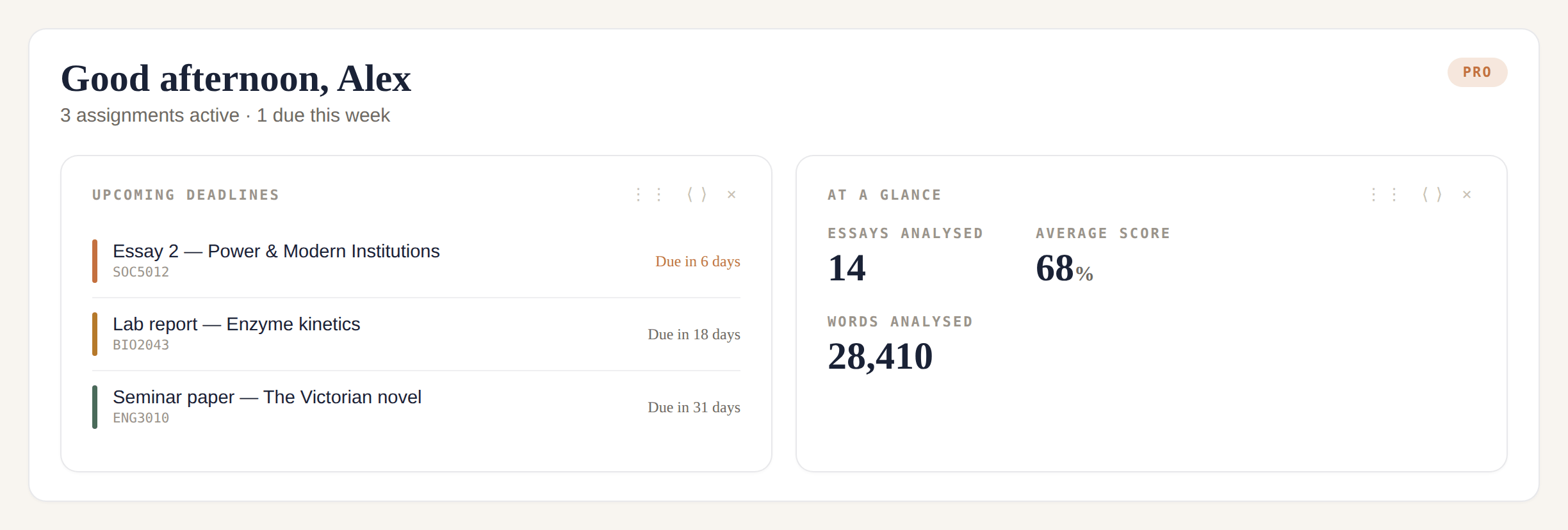
When you sign in to SafeGrade, your Home dashboard is the command centre. It's modular: you add the cards that matter to you, remove the ones that don't, and drag them into the order that suits how you think. Someone juggling five modules will want deadlines and a semester view up top; someone deep in one dissertation might want milestones and word count front and centre. The rest of this guide is a tour of those cards — and, more usefully, when to lean on each one.
1. Never lose track of a deadline
The single biggest cause of last-minute panic is a deadline you didn't see coming. Add each assignment with its due date once, and it shows up two ways: a plain Upcoming deadlines list ("due in 3 days"), and a Semester planner timeline that plots everything across the term so you can spot the week where three things land at once. (Studying with the Open University? Its calendar works differently — each module sets its own TMA cut-off dates — so see our guide to how OU TMA deadlines work first.)
How to use it: add every assignment for the term at the start, even the ones months away — seeing the whole semester laid out is what lets you start the big essay before the week it’s due.
2. Break every assignment into steps
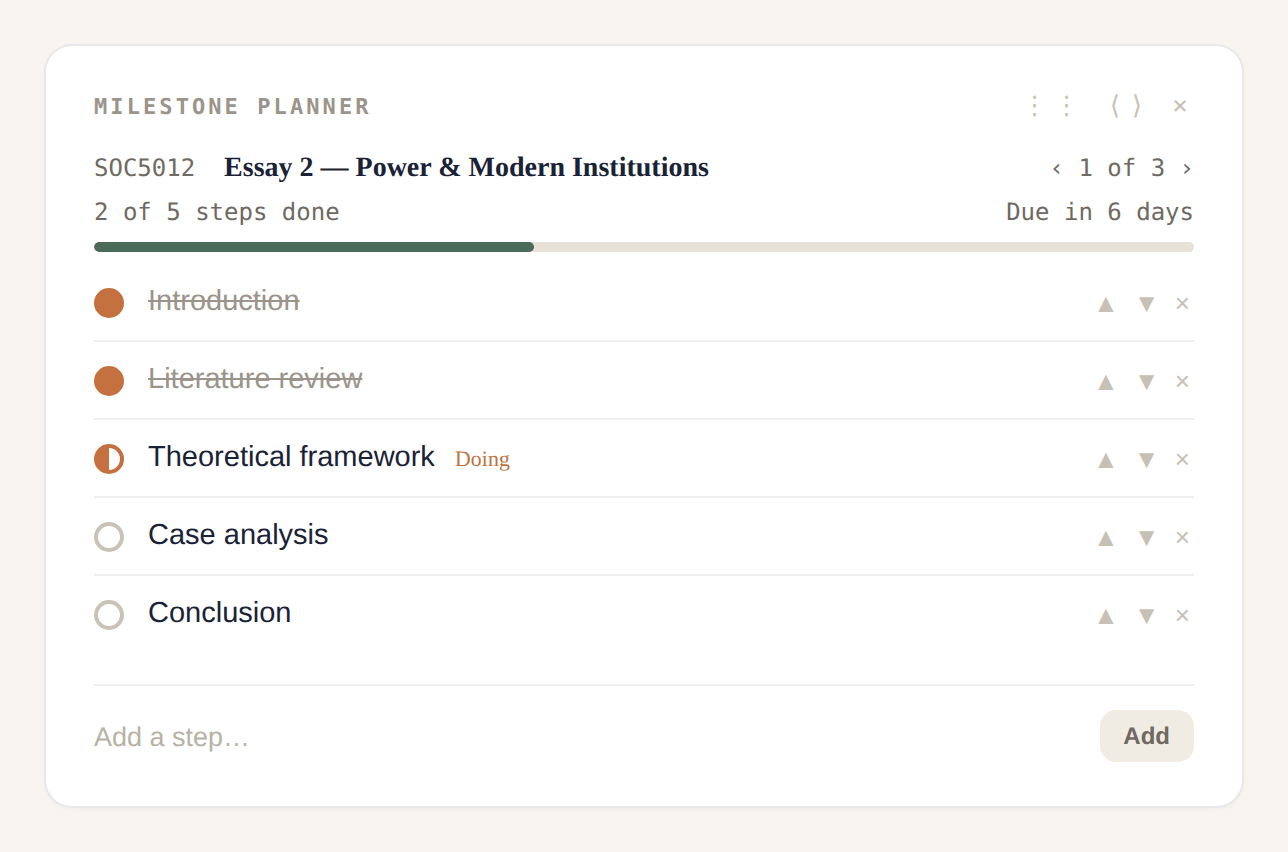
Starting a dissertation? Our guide to how to start your dissertation shows how to build the timeline backwards from your deadline. "Write the essay" is not a plan — it's a wall. The Milestone planner lets you break an assignment into the steps that actually get it done, and move each one through To do → Doing → Done. Steps aren't a one-way march: you can move something back to Doing when you return to it, because real writing loops. Plan whichever way fits you: by phase (Research, Outline, First draft, Edit, Reference check) or by section (Introduction, each body section, Conclusion).
How to use it: if a deadline feels overwhelming, open this first — three or four steps turn a wall into a staircase.
3. Keep your reading in one place
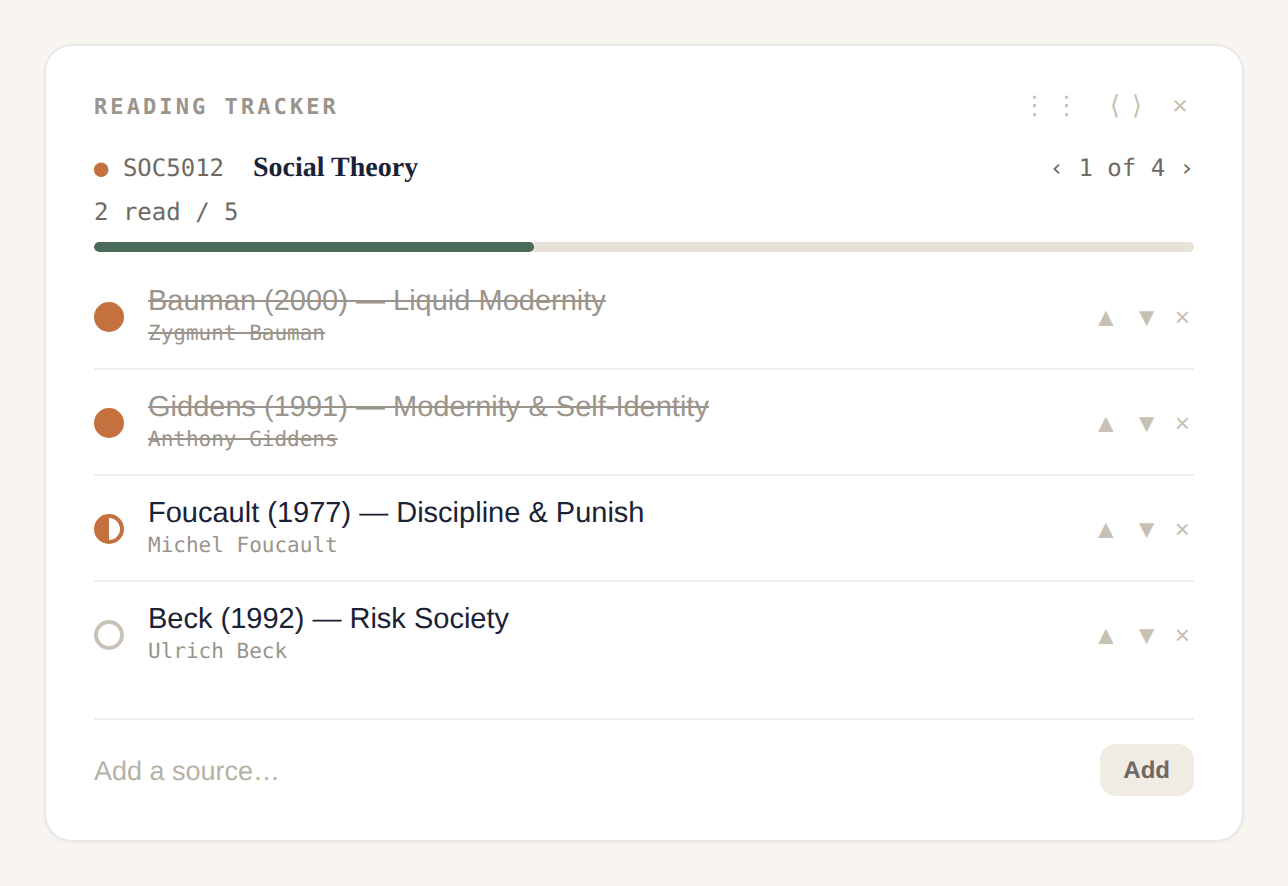
Sources go missing between the library, your browser tabs, and your notes. The Reading tracker keeps a reading list per module, so everything you've found for a subject sits together and can be reused across every essay in that module. Each source moves through To read → Reading → Read.
How to use it: the moment a lecturer mentions a key text, drop it in — come essay time, your literature review half-writes itself.
4. Hit the word count without the stress
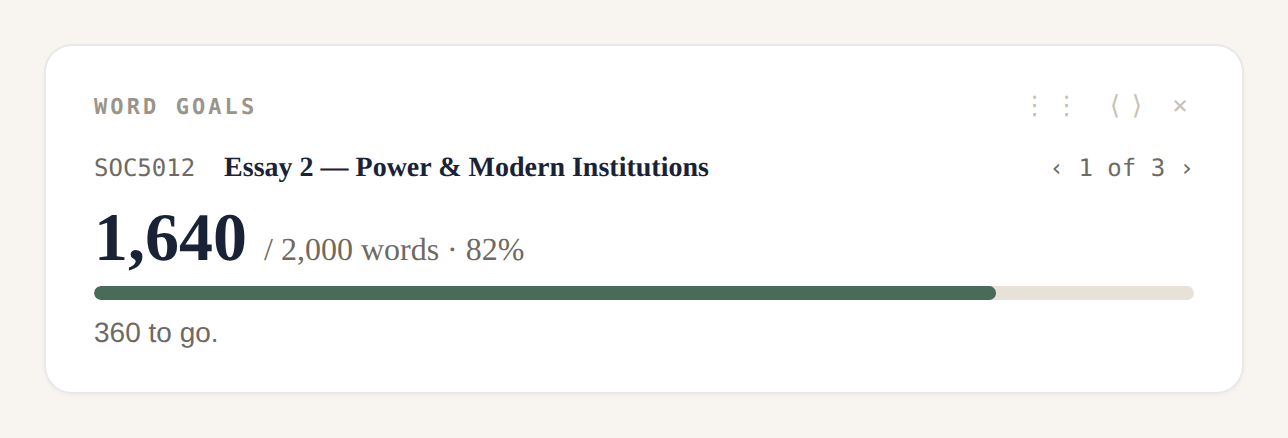
Set the target for an assignment and Word goals tracks your latest draft against it — "1,240 / 2,000 words · 62%, 760 to go" — and flags honestly when you've gone over (many markers penalise it, so it's better to know early).
How to use it: split the target across your sections in the milestone planner, then let Word goals show whether your draft is landing where it should.
5. Know where your grade actually stands
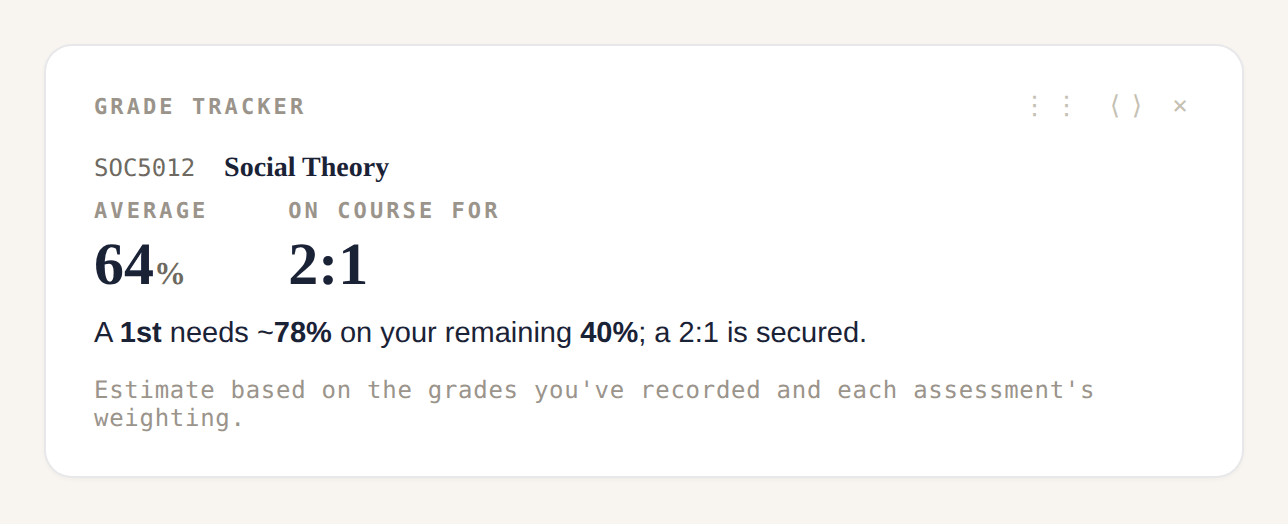
Record each mark as it comes back and the Grade tracker shows your average and a projection: on course for a 2:1, and what you'd need on the work that's left to reach the class above. It's an estimate based on the grades you've recorded and each assessment's weighting — a guide to focus your effort, not a promise.
How to use it: check it before you decide how hard to push on an assignment; knowing a module is one strong essay away from a 2:1 tells you where effort pays off.
6. Let Sage point you to the next thing
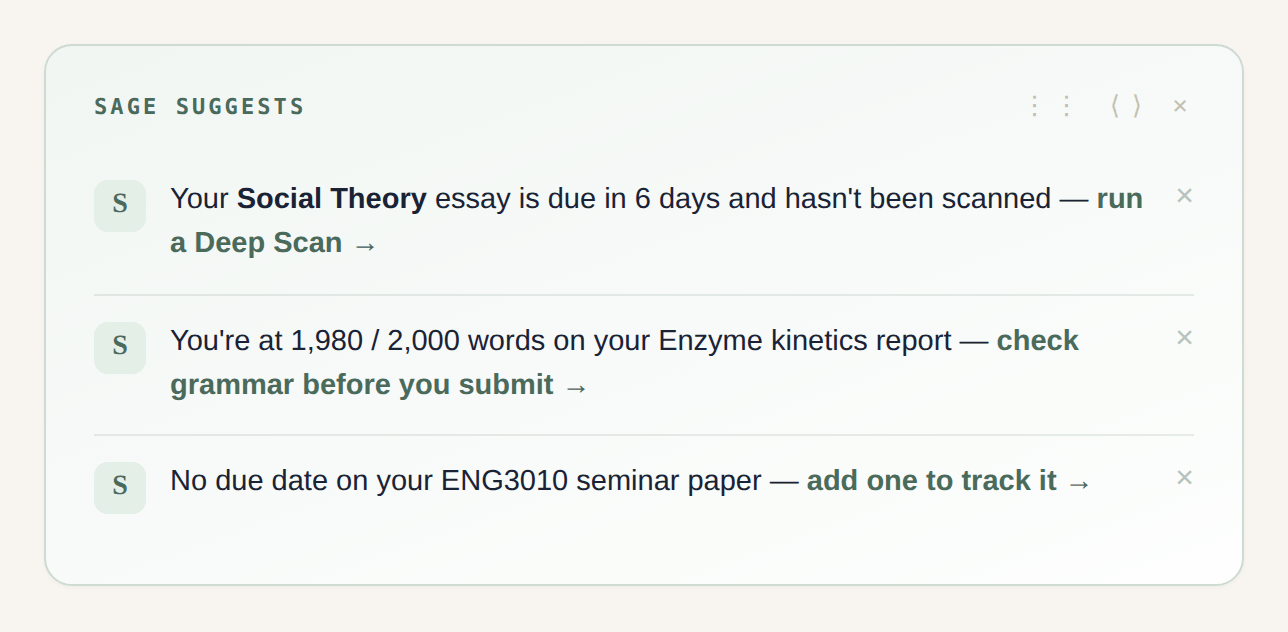
Even with everything in one place, it helps to be told what matters right now. Sage suggests reads across your work and surfaces the one or two most useful next actions — an essay due in three days you haven't checked, a draft over its word limit, an assignment with no due date. Dismiss the ones you've handled; the next takes its place.
How to use it: glance at it when you sit down and don’t know where to start — it turns "I have so much to do" into "do this next."
7. Check your draft before your lecturer does
Before you submit, run your draft through SafeGrade's checks. Grammar catches the slips a tired read misses. The referencing check looks at your Harvard or APA citations. Improve suggests where the argument or clarity could be stronger. And Deep Scan looks at how your writing reads — flagging where it drifts into generic, formulaic patterns so you can bring your own voice back through.
How to use it: treat it as the pass you’d love a friend on your course to do, so you hand in something you’re confident in. Your essays stay yours; SafeGrade is privacy-first, and your work isn’t shared or sold.
8. Talk it through with Sage
When you're stuck — how to structure a methodology, whether your argument holds — Sage is a writing advisor that already knows your university, course, and assignment, so its help is grounded in your brief.
How to use it: ask it the question you’d ask a tutor between supervisions. It won’t write the essay for you — that’s your work and your voice — but it will help you through the hard bits.
Putting it together: a workflow that works
- Set it up. Add the assignment with its due date and word limit — it’s now on your deadlines list and semester timeline.
- Plan the steps. Break it into milestones, by phase or by section.
- Gather your reading. Add sources to the module’s reading tracker and mark them off.
- Draft against the target. Write, and let Word goals keep you honest on length.
- Check before you submit. Run Grammar, referencing, Improve and Deep Scan; talk anything shaky through with Sage.
- Record the result. Log the mark when it’s back, and watch your grade projection sharpen.
You don’t have to adopt all of it at once. Start with deadlines and milestones for your next assignment — that alone changes how in-control the term feels — and add the rest as it earns its place.
SafeGrade is free to start, works across UK universities and subjects, and is private by design.
Get started freeFrequently asked questions
Yes — there's a free tier you can use straight away, with a Pro option for students who want higher limits across scans, checks and Sage. You can organise your assignments, plan milestones and track deadlines without paying.
SafeGrade is built privacy-first, with two-factor authentication available on every account. Your essays and messages are yours — they aren't shared or sold, and they aren't read without a specific reason tied to a feature you've used.
Yes. SafeGrade is subject-agnostic and works across UK institutions. Sage, the writing advisor, can be set up with your university, course and assignment so its help fits your context rather than being generic.
No — and that's the point. SafeGrade is built to help you do your work well: plan it, check it, and strengthen it, so what you submit is genuinely yours. Sage helps you think through problems; it doesn't hand you an essay to pass off as your own.
It looks at your citations against Harvard and APA conventions, so you can catch formatting slips and missing details before a marker does.
Create a free account, add your first assignment with its due date, and build out your Home dashboard with the cards that suit you. The app walks you through the rest.